Best App to Scan Documents for College Applications (2026)
TL;DR
The best app to scan documents for college applications in 2026 is Filewise, because it turns transcripts, recommendation letters, and financial aid forms into clean, correctly sized PDFs ready to upload. Adobe Scan is best for Acrobat-integrated scanning, Genius Scan for simple fast scanning, and the built-in iPhone scanner for a quick capture. This guide compares 6 apps.

On-device OCR. Secure, built for iOS.
Best App to Scan Documents for College Applications in 2026
A good app to scan documents for college applications turns a paper transcript, a signed form, or a financial aid document into a clean, correctly oriented PDF a portal will accept on the first try. Filewise ranks first because it scans multi-page documents in one pass and exports them at standard page sizes without any added branding.
The best apps to scan documents for college applications in 2026 are:
- Filewise - Best overall for scanning transcripts and forms into upload-ready PDFs
- Adobe Scan - Best for Acrobat-integrated scanning
- Genius Scan - Best for simple, fast scanning
- CamScanner - Best for the widest feature set
- Scanner Pro - Best for reliable, polished scanning
- Built-in iPhone Scanner - Best for a quick capture with no extra app
If you are figuring out how to scan documents for college applications, the short answer is a scanner app, such as one of the picks in our best scanner apps for iPhone roundup, that produces one clean PDF per document, with every page facing the right way and every line legible. Application portals reject a blurry photo or a sideways page just as often as they reject a missing signature, so getting the scan right the first time saves a resend later.
1. Filewise - Best Overall App for College Application Documents
Filewise scans a transcript, a recommendation letter, or a signed financial aid form into a sharp, multi-page PDF in one pass, with no limit on how many pages go into a single file. That matters for a multi-page transcript or a packet of forms that a portal expects as one document rather than several.
Get Filewise to scan your transcript or financial aid forms into one clean PDF before your application deadline.
How Filewise Handles Application Documents
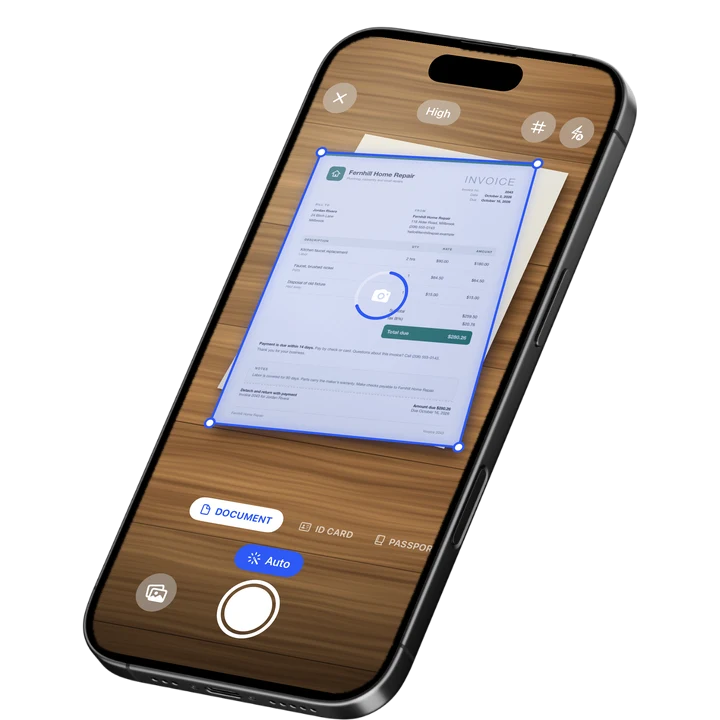
Scan each page with live edge detection and auto-capture, which squares up the page and corrects the angle automatically. Choose the page size that matches what your school issued the document on, such as Letter or A4, so the proportions look right when a reviewer opens the file.
If a form needs your signature before you upload it, sign it on your iPhone by drawing one with your finger and dropping it onto the signature line, then export the finished document as a PDF. Keep every application's documents in its own folder so you can find the right transcript or form quickly when a deadline is close.
Key Features for College Applications
- Multi-page batch scanning: Scan an entire transcript or a stack of forms into a single PDF with no page limit.
- Page size options: Match the original page size, including Letter, A4, and Legal, so the file looks correct when opened.
- Signature on the page: Sign a financial aid form or a permission slip with your finger before exporting it.
- Filters for legibility: Apply a filter such as B&W or Magic Color to make faint text or a light photocopy easier to read.
- Folders for every application: Keep each school's documents together, separate from your other files.
- PDF export: Export a clean PDF ready to attach to an email or upload to a portal.
Pricing
See the App Store for current pricing and plans.
Best For
- Students scanning a paper transcript or recommendation letter to upload
- Families gathering financial aid documents for a verification request
- Anyone who needs a signed form turned into a PDF before a deadline
- Students applying to several schools who want each application's files kept separate
2. Adobe Scan - Best for Acrobat-Integrated Scanning
Adobe Scan holds a 4.88 rating from about 1.59 million ratings on the US App Store (September 2026) and connects directly to Acrobat. That makes it convenient for a student who already uses Acrobat to fill out or review PDF forms.
Key Features
- Text recognition that reads scanned pages
- Automatic edge and perspective correction
- Direct export into Acrobat and Adobe's other PDF tools
- Fill and sign tools inside the same ecosystem
Pricing
In-app purchases on the US App Store range from about $3.99 to $69.99, including an Adobe Scan Premium monthly plan at $9.99 (September 2026).
Best For
- Students who already use Adobe Acrobat for other schoolwork
3. Genius Scan - Best for Simple, Fast Scanning
Genius Scan by The Grizzly Labs holds a 4.9 rating from about 1.37 million ratings on the US App Store (September 2026), the highest average among the major scanner apps. Its simple interface suits a student who wants to scan one document quickly between classes.
Key Features
- Fast automatic edge detection and cropping
- Batch scanning into one PDF
- Biometric app lock
- Clean, minimal interface
Pricing
In-app purchases on the US App Store range from $0.99 to $49.99, including Genius Scan Ultra at $39.99 a year (September 2026).
Best For
- Students who want the fastest possible scan with minimal setup
4. CamScanner - Best for the Widest Feature Set
CamScanner from INTSIG is the most reviewed scanner on the US App Store, with a 4.84 rating from about 1.92 million ratings (September 2026). It bundles text recognition, cloud storage, and a large template library, which suits a student juggling many kinds of paperwork across several applications.
Key Features
- Wide template library for different document types
- Text recognition
- Cloud storage and sync across devices
- Batch scanning tools
Pricing
In-app purchases on the US App Store range from $0.99 to $69.99, including a Premium Account yearly plan at $59.99 (September 2026).
Best For
- Students who want one app for many kinds of application paperwork
5. Scanner Pro - Best for Reliable, Polished Scanning
Scanner Pro by Readdle has a 4.87 rating from about 336,000 ratings on the US App Store (September 2026) and a clean, native-feeling design. It is a dependable choice for a student who wants a straightforward scan-to-PDF workflow close to a deadline.
Key Features
- Reliable automatic edge detection
- Text recognition and in-app search
- Several export formats
- Native iOS design
Pricing
In-app purchases on the US App Store range from $0.99 to $59.99, including Scanner Pro Plus at $29.99 (September 2026).
Best For
- Students who want a clean, dependable scan-to-PDF workflow
6. Built-in iPhone Scanner (Notes and Files) - Best for a Quick Capture
The scanner built into Notes and Files on iPhone photographs a document, corrects the perspective, and saves it as a PDF at no cost with no extra app to install. It is a fine option for a single form or a short letter. See our full walkthrough of how to scan documents on iPhone for the exact steps.
Key Features
- Built into iOS, no extra app
- Automatic edge detection and perspective correction
- Saves as a PDF to Notes or Files
- Live Text can read text in the photo
Pricing
Built into iOS at no cost.
Best For
- A one-off scan of a single form or letter
Scanning Financial Aid Documents for College Applications
Many colleges and the FAFSA verification process ask for copies of tax documents such as a W-2 or a full tax return to confirm the income reported on an application, according to the IRS guidance on tax information for federal student aid applications. This is general information, not tax advice, so check your specific school's financial aid office for what it requires.
When you scan these documents, keep each one as its own clearly named PDF, such as "2025 W-2" or "Parent Tax Return," since a financial aid office often asks for several separate files rather than one combined document. A password on the PDF is a sensible extra step before you email a form that contains a Social Security number or income details.
Frequently Asked Questions
How do I scan documents for college applications on my iPhone?
Open a scanner app, capture each page of the document with the camera, and let the app correct the angle and crop the edges automatically. Export the finished scan as a PDF sized to match the original document, such as Letter or A4, then upload it directly to your application portal or attach it to an email.
What file format do college application portals usually accept?
Most college application portals accept a PDF for uploaded documents such as transcripts, forms, and letters. A PDF keeps multiple pages in one file and prints the same way it looks on screen, which is why it is the safest default format unless a specific portal asks for something else.
Can I scan a multi-page transcript into one file?
Yes. A scanner app with batch scanning lets you capture every page of a transcript in one pass and saves them as a single PDF instead of one file per page. That matters for portals that expect one transcript document rather than several separate uploads.
Do I need to scan financial aid documents like a W-2 for college applications?
Some colleges and the FAFSA verification process ask for a copy of a W-2 or a tax return to confirm the income reported on an application. Requirements vary by school, so check with the specific financial aid office. This is general information, not tax advice.
How can I make sure a scanned document is legible before I upload it?
Scan in even light without harsh shadows, hold your iPhone directly above the page, and check that every line of text is sharp before saving. If a scan looks faint, applying a filter such as B&W or Magic Color can make light photocopies or thin ink easier to read.
Our Pick for the Best App to Scan Documents for College Applications
Filewise is the strongest overall pick because it scans a transcript, a recommendation letter, or a stack of financial aid forms into a single, correctly sized PDF without extra branding on the page. Folders keep each school's documents separate, which matters most when several deadlines land in the same week.
If you already use Adobe Acrobat for other schoolwork, Adobe Scan is a reasonable alternative, and if you want the simplest possible scan of a single form, Genius Scan gets it done in the fewest taps.
Get Filewise and turn your next transcript or application form into a clean, upload-ready PDF.
🔒 Face ID lock | 📱 Built for iPhone