Adobe Scan vs CamScanner: Which Scanner App Wins? (2026)
TL;DR
Adobe Scan vs CamScanner: pick Adobe Scan if you already work inside Acrobat and want tied-in text recognition. Pick CamScanner if you want the widest feature set with built-in cloud storage and a large template library. The biggest difference is how each ties into a larger ecosystem. Filewise is the pick for signing, redacting, and password protecting documents on iPhone.
 Filewise - PDF Scanner
Scan documents to PDF on iPhone
- Get a sharp, professional PDF in one tap.
- Find any word later with on-device text recognition.
- Sign and send polished documents.
- Confidential files stay locked behind Face ID.
- Reliable and native, built for iOS.
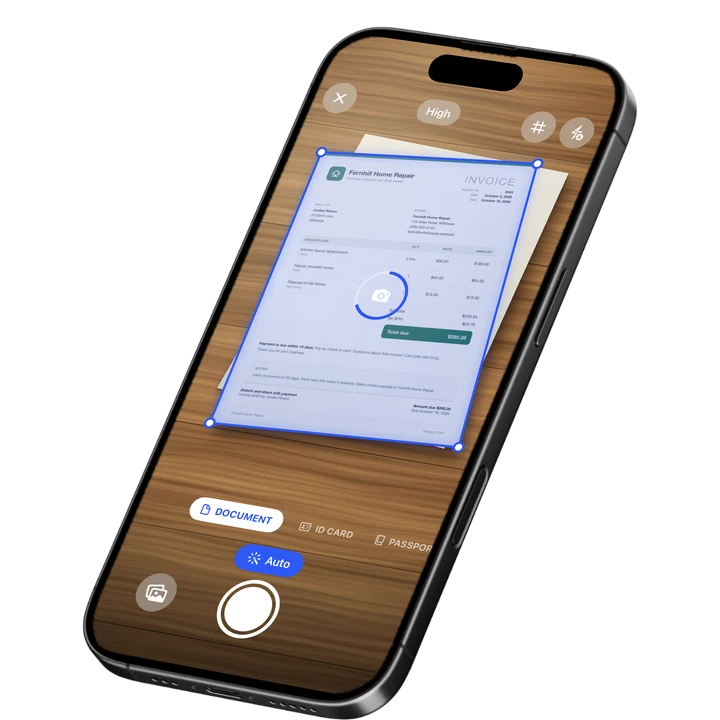
On-device text recognition. Secure, built for iOS.
Adobe Scan vs CamScanner: The Short Answer
Pick Adobe Scan if you already work inside Acrobat and want text recognition that flows straight into the same tools. Pick CamScanner if you want the widest feature set in one app, with built-in cloud storage and a large template library for many document types.
Adobe Scan and CamScanner are two of the most reviewed scanner apps on the US App Store, and people comparing them are usually choosing between depth in one ecosystem and breadth in a single app. The table below lays out where each one leads before the detailed comparison further down.
| Adobe Scan | CamScanner | Filewise | |
|---|---|---|---|
| Best for | Acrobat-integrated scanning | Widest feature set | Signing and protecting documents |
| Text recognition | Yes, tied into Acrobat | Yes, with a wide template library | Yes, up to 25 languages, on-device |
| Cloud storage | Through Adobe's own cloud | Built-in cloud storage and sync | Backup to the Filewise cloud when signed in |
Adobe Scan vs CamScanner: Scan Quality and Edge Detection
Both apps use automatic edge detection to straighten a page and crop out the background, and both are well reviewed for it. Adobe Scan holds a 4.88 rating from about 1.59 million ratings, just ahead of CamScanner's 4.84 from about 1.92 million ratings (September 2026), though CamScanner's larger review count shows how widely it is used across document types.
In everyday use, the two apps produce similar results on a well-lit page: a straightened, cropped scan ready to export. The difference shows up more in what happens after the scan than in the capture itself.
Adobe Scan vs CamScanner: Text Recognition
Adobe Scan has an edge for anyone who wants recognized text to flow directly into further PDF editing, since it ties into Acrobat's tools for reviewing and marking up a document afterward. CamScanner also recognizes text, bundled alongside its wider set of extra tools.
If your next step after scanning is editing the PDF, filling in fields, or exporting to another Adobe tool, Adobe Scan's tie-in matters more than the recognition itself. If your priority is just getting readable text out of a page, both apps handle that job.
Adobe Scan vs CamScanner: Cloud Storage and Sync
CamScanner wins on built-in cloud storage, since syncing scans across devices and to the cloud is a core part of the app rather than something you set up separately. Adobe Scan relies on Adobe's own cloud, accessed through your Adobe account and its other apps.
For someone who wants scans backed up and available on more than one device with the least setup, CamScanner's built-in sync is the more direct path. For someone already signed into Adobe's ecosystem for other work, Adobe Scan's cloud connection fits into what they already use.
Adobe Scan vs CamScanner: Feature Set and Templates
CamScanner packs in the widest feature set of the two, with a large template library covering many document types plus extras layered on top of scanning. Adobe Scan keeps a tighter focus on scanning and text recognition, leaning on Acrobat for anything beyond that.
If you want one app that tries to cover as many scanning-adjacent tasks as possible, CamScanner's breadth is the draw. If you would rather keep scanning simple and do everything else in Acrobat, Adobe Scan's narrower focus is easier to learn.
Adobe Scan vs CamScanner: Organizing and Filing Scans
CamScanner has an edge for organizing a large volume of scans, since its template library sorts documents by type as you add them, and its cloud sync keeps that structure available across devices. Adobe Scan keeps organization simpler, relying on folders and Acrobat's own document list rather than a dedicated filing system inside the scanner itself.
For someone scanning a handful of documents a week, either approach works fine. For someone scanning dozens of receipts, forms, and letters across different categories, CamScanner's built-in structure saves more manual sorting, while Adobe Scan works best paired with the folder structure you already keep in Acrobat or Adobe's cloud storage.
Adobe Scan vs CamScanner: Price
Adobe Scan's in-app purchases on the US App Store range from about $3.99 to $69.99, including an Adobe Scan Premium monthly plan at $9.99 and an Adobe Scan Plus yearly plan at $19.99 (September 2026). CamScanner's in-app purchases range from $0.99 to $69.99, including a Premium Account yearly plan at $59.99 and a Premium Account monthly plan at $9.99 (September 2026).
Both apps list several purchase options rather than one flat price, so check the exact plan and period on the app's own product page before buying.
Where Filewise Fits: Signing and Protecting Documents on iPhone
Neither Adobe Scan nor CamScanner is built specifically around signing a document and locking it down afterward, which is where Filewise fits for anyone comparing the two. Filewise scans a document, then lets you sign it, redact a sensitive detail, and add a password before you send it anywhere.
That matters most for a lease, a client contract, or a form that needs to leave your phone looking finished rather than needing a second app to sign or protect it. Instead of scanning in one app and finishing the job in another, the whole sequence stays in Filewise from the first photo to the finished, signed PDF.
Get Filewise to scan a document and sign, redact, or password-protect it in the same app.
- Signature on the page: Draw a signature with your finger or reuse one you saved, then place it on any document.
- Redaction and blur: Remove a sensitive detail from the exported PDF, not just cover it with a box.
- PDF password: Lock a finished document with a password before you send it.
- ID Card and Passport modes: Scan an ID card at real size on one page, or a passport's photo page with a frame guide.
- Face ID lock: Lock the app, a folder, or a single document behind Face ID, Touch ID, or a PIN.
Choose Adobe Scan If...
- You already work inside Adobe Acrobat and want scanning tied into the same tools
- You want text recognition that flows straight into further PDF editing
- You are comfortable managing files through an Adobe account
If Adobe Scan does not end up being the right fit, our guide to Adobe Scan alternatives looks at other options built the same way.
Choose CamScanner If...
- You want the widest feature set in one app, including built-in cloud storage
- You scan many kinds of documents and like having templates for different types
- Cross-device sync matters more to you than a narrow, focused app
Readers who want a wider set of options in the same style can see our guide to CamScanner alternatives as well.
Choose Filewise If...
- You need to sign a document right after scanning it
- You want to redact a sensitive detail or add a password before sending a file
- You scan ID cards or passports and want a mode built for that
Frequently Asked Questions
Is Adobe Scan better than CamScanner?
Neither app is better in every way. Adobe Scan holds a slightly higher App Store rating and ties directly into Acrobat, which suits anyone who edits PDFs further after scanning. CamScanner has a larger review count and a wider feature set, including built-in cloud storage, which suits someone who wants one app to cover more ground.
Are Adobe Scan and CamScanner free?
Both apps can be downloaded and used for basic scanning, with in-app purchases for additional tools. Adobe Scan's in-app purchases range from about $3.99 to $69.99, and CamScanner's range from $0.99 to $69.99 on the US App Store (September 2026). Check each app's own listing for its current plans before buying.
Which app has better text recognition, Adobe Scan or CamScanner?
Both apps recognize text in a scanned page. Adobe Scan has an edge for anyone who wants that text to flow into further editing inside Acrobat, since the two are built to work together. CamScanner's text recognition sits alongside a wider set of extra tools rather than tying into one specific PDF editor.
Is there a good alternative to Adobe Scan and CamScanner?
Filewise is a strong alternative for anyone who wants to sign, redact, and password-protect a document in the same app used to scan it. It also includes dedicated modes for scanning an ID card or a passport, which neither Adobe Scan nor CamScanner is built specifically around. That makes it a good fit for scans that need to go somewhere official rather than just sit in a folder.
Our Verdict on Adobe Scan vs CamScanner
Adobe Scan is the better pick if you already live inside Acrobat and want scanning to feed straight into the tools you already use. CamScanner is the better pick if you want the widest feature set in one app, with cloud storage and templates built in from the start.
If what you actually need is to sign a document, redact a detail, or lock a file with a password right after scanning it, Filewise covers that job directly, including dedicated modes for ID cards and passports that neither Adobe Scan nor CamScanner focuses on. Readers weighing a third option may also want our look at Genius Scan alternatives for a different style of scanner entirely.
Get Filewise and scan, sign, and protect your next document in one app.
🔒 Face ID lock | 📱 Built for iPhone