Best Scanning App for Truckers (2026)
TL;DR
The best scanning app for truckers in 2026 is Filewise, because it turns a bill of lading or proof of delivery into a sharp PDF in seconds, even without a signal. Transflo suits carriers that require it, Genius Scan suits fast batch capture, and Scanner Pro suits tracking fuel receipts. This guide compares 5 apps.
 Filewise - PDF Scanner
Scan documents to PDF on iPhone
- Get a sharp, professional PDF in one tap.
- Find any word later with on-device text recognition.
- Sign and send polished documents.
- Confidential files stay locked behind Face ID.
- Reliable and native, built for iOS.
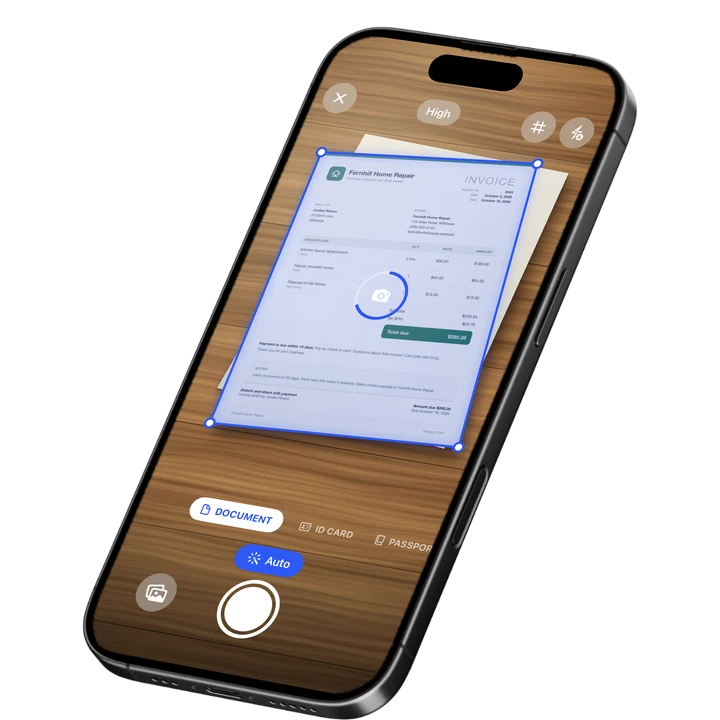
On-device text recognition. Secure, built for iOS.
Best Scanning App for Truckers in 2026
The best scanning app for truckers in 2026 turns paperwork from the cab into a clean PDF fast, whether or not there is a signal at the dock. The top picks are:
- Filewise - Best overall scanning app for truckers (works offline, scans a full POD or BOL packet into one PDF)
- Transflo Mobile+ - Best for drivers whose carrier requires it for document submission
- Genius Scan - Best for fast batch capture between stops
- Adobe Scan - Best for text recognition on scanned paperwork
- Scanner Pro - Best for tracking fuel and expense receipts
A bill of lading gets signed at the dock, a proof of delivery needs to go back to dispatch, and a fuel receipt needs to be kept for the mileage log, often from a truck stop with no signal at all. A scanning app for truckers needs to turn paper into a usable PDF right there in the cab, without waiting for a connection.
1. Filewise - Best Overall Scanning App for Truck Drivers
Filewise scans a bill of lading, proof of delivery, or fuel receipt into a sharp PDF and works fully offline, so a dead zone between stops does not slow down the job.
Get Filewise to scan a proof of delivery at the dock and have a clean PDF ready to send as soon as you are back in range.
How Filewise Handles Paperwork on the Road
Document mode captures a page with live edge detection and auto capture, which matters when a BOL or POD gets signed on a clipboard in bad light or at an angle. Scanning, text recognition, and editing all work offline, so a load of paperwork can be scanned at a rural drop-off and organized before the next stop, with no need to wait for a signal.
A stack of receipts and delivery paperwork from a single run can go into one multi-page PDF with no page limit, instead of a dozen separate photos. Filters like B&W or Photocopier help a faded or handwritten paper document stay easy to read once it is scanned.
Key Features for Truck Drivers
- Works offline: Scanning, text recognition, and editing all work without a connection.
- Batch scanning with no page limit: Combine a full run's worth of paperwork into one PDF.
- 7 filters: Including B&W and Photocopier, for paperwork that is faded, handwritten, or signed in poor light.
- Folders: Organize scans by load, route, or week so paperwork from one run stays together.
- Text recognition: Search your scans by their text later, useful for finding one delivery receipt among many.
- Export and share: Export as PDF or JPG and share by AirPrint, the share sheet, or saving to Files once you are back in range.
Pricing
See the App Store for current pricing and plans.
Best For
- Truck drivers who need to scan paperwork without a signal
- Turning a full run's worth of BOLs and PODs into one organized PDF
- Keeping fuel and toll receipts alongside delivery paperwork
- Drivers who scan handwritten or faded paperwork regularly
2. Transflo Mobile+ - Best for Drivers Whose Carrier Requires It
Transflo Mobile+ is built specifically for trucking document submission and is used by many carriers as the required way to send a bill of lading or proof of delivery straight into the carrier's own system.
Key Features
- Direct submission of BOL and POD documents into supported carrier systems
- Built specifically for trucking and freight document workflows
- Used as the standard submission method by many carriers
Pricing
Free to download on the US App Store (in-app purchases not listed, September 2026). Rated 4.75 from 57,798 ratings (September 2026).
Best For
- Drivers whose carrier requires Transflo for document submission
- Fleet-managed document workflows tied to a specific carrier system
3. Genius Scan - Best for Fast Batch Capture Between Stops
Genius Scan focuses on quick, accurate capture, which suits a driver scanning several documents in the short window between one stop and the next.
Key Features
- Fast auto edge detection and capture
- Plus and Ultra tiers with extra export options
- A simple, focused capture flow
- Straightforward PDF export
Pricing
In-app purchases range from about $0.99 to $49.99 (US App Store, September 2026). Rated 4.9 from 1,365,119 ratings (September 2026), the highest average among the largest scanner apps.
Best For
- Quick capture of a single document between stops
- Drivers who want the scanning step itself to be as fast as possible
4. Adobe Scan - Best for Text Recognition on Scanned Paperwork
Adobe Scan reads the text on a scanned page, which helps when a load of paperwork later needs to be searched for a specific delivery or date.
Key Features
- Text recognition on scanned pages
- Links into Adobe Acrobat for further editing
- Wide adoption with a large existing user base
- ID card scan mode
Pricing
In-app purchases range from about $3.99 to $69.99 across monthly and yearly plans (US App Store, September 2026). Rated 4.88 from 1,594,067 ratings (September 2026).
Best For
- Paperwork that needs to be searched by text after scanning
- Drivers already using Adobe Acrobat for other documents
5. Scanner Pro - Best for Tracking Fuel and Expense Receipts
Scanner Pro from Readdle includes an expense report add-on built for tracking receipts, which suits a driver keeping fuel, toll, and maintenance receipts for reimbursement or tax records.
Key Features
- An expense report add-on for tracking receipts
- A fax add-on for sending documents directly
- Page reordering and quick edits after scanning
- Clean, simple scanning interface
Pricing
In-app purchases range from about $0.99 to $59.99, including an Expense Report add-on around $4.99 (US App Store, September 2026). Rated 4.87 from 335,985 ratings (September 2026).
Best For
- Tracking fuel and toll receipts alongside delivery paperwork
- Drivers who occasionally need to fax a document
How to Choose a Scanning App for Truck Drivers
The right app depends on what your carrier requires and how you work on the road. Four things matter most.
- Carrier requirements: Some carriers require a specific app like Transflo for BOL and POD submission. Check with dispatch before relying only on a general scanner app for that step.
- Working without a signal: Rural drop-offs and truck stops often have no connection. An app that scans, reads text, and edits offline keeps you moving without waiting to get back in range.
- Batch scanning: A single run can produce a stack of paperwork. Batch scanning with no page limit keeps a full run in one PDF instead of many separate files.
- Keeping paperwork organized: Folders sorted by load, route, or week make it easier to find one document among weeks of paperwork later.
For more on scanning documents day to day, see our guide to how to scan documents on iPhone. Owner-operators managing their own paperwork may also find our guide to the best scanner app for small business useful, and drivers who need to scan a license or ID can see our guide to the best ID card scanner app for iPhone.
Frequently Asked Questions
What is the best scanning app for truckers?
Filewise is the best scanning app for truckers because it works fully offline for scanning, text recognition, and editing, and it can combine a full run's worth of paperwork into one PDF. That matters for drivers who need to scan a bill of lading or proof of delivery in areas with no signal.
Can I scan a bill of lading without a signal?
Yes, as long as the app you use supports offline scanning. Filewise scans, reads text, and edits documents fully offline, so a delivery receipt or bill of lading can be captured and organized at a rural stop and shared later once you are back in range.
Do I need to use my carrier's app instead of my own scanner app?
It depends on your carrier. Some carriers require a specific app, such as Transflo, for BOL and POD submission directly into their system. Many drivers use that required app for submission and a general scanner app like Filewise for other paperwork, such as fuel receipts or personal records.
How do I keep proof of delivery documents organized by load?
Sorting scans into folders by load, route, or week keeps paperwork from one run together and easier to find later. Naming folders consistently, such as by date or route number, makes it faster to locate one delivery receipt among weeks of scans.
Can I scan a faded or handwritten paper document clearly?
Yes. A filter made for low-contrast paper, such as B&W or Photocopier, can make a faded or handwritten document easier to read once it is scanned. Good lighting and holding the phone steady over the page also help the scan come out sharp.
Our Pick for the Best Scanning App for Truckers
For day-to-day paperwork on the road, Filewise covers the job: it works offline, combines a full run of documents into one PDF, and keeps everything organized by load or route.
When a carrier requires a specific submission method, Transflo Mobile+ is the right tool for that step. Genius Scan suits drivers who want the fastest possible single scan between stops.
Get Filewise and keep your delivery paperwork organized, on or off the road.
🔒 Face ID lock | 📱 Built for iPhone