Signature PNG Maker
Turn a photo of your signature on paper into a transparent PNG. Free, and your photo is not uploaded.
TL;DR
Signature PNG means your signature as a picture with a transparent background, ready to place on any document. This free tool makes one from a photo of your signature on paper. It removes the paper and keeps the ink. Your photo is processed in your browser and is not uploaded.
Add a photo of your signatureAdd a photo of your signature
Dark ink on plain white paper works best.
Your file is processed in your browser. It is not uploaded.
How to Make a Signature PNG
1
Add a photo
Take a photo of your signature on paper, or choose, drop or paste one.
2
Adjust the ink
Move the slider and pick an ink color until the preview looks right.
3
Make and save
Press Make PNG, then download your transparent signature.
What Is a Signature PNG
A signature PNG is a picture of your signature saved as a PNG file with a transparent background. Only the ink shows. You can place it on a PDF, a Word file or a slide, and the paper behind it does not appear. PNG is the format that keeps transparency, because a JPG has no transparent background.
This tool makes a transparent signature from a photo. Sign with a pen on plain paper, take a photo, and the tool removes the paper. You download a signature image you can use again and again. It reads JPG, PNG, HEIC (the iPhone photo format) and WebP.
Remove Background From Signature
The tool works out what bare paper looks like at every spot of your photo. It then keeps only what is clearly darker than the paper right around it. A shadow from your hand or phone, or one side of the sheet being darker, counts as paper. So it copes with uneven light.
A single brightness cutoff for the whole photo would keep the shadow or lose the ink. This way, neither happens. The preview sits on a gray and white checkerboard that only shows which parts are transparent. It is not part of the file. The result is cut to the ink with a small even margin.
One slider runs from 0 to 100 and starts at 50. Move it right to keep more: faint strokes, pencil and light ink. Move it left to keep less: it drops gray ruled lines, shadow edges and faint marks. Ink color starts at Original, which keeps your pen color with the light evened out. Black and Blue recolor the ink.
Scan Signature for a Sharp PNG
To scan a signature, sign on blank white paper and take a photo with the phone held straight above the sheet. Get close, so the signature fills most of the photo. Let the paper fill the picture and avoid hard shadow edges. A sharp photo gives a sharp PNG.
The PNG is as large as the signature is in the photo. A photo with more than 5 megapixels is scaled down to 5 megapixels first. For example, a signature that fills about two thirds of the width of a 12 megapixel phone photo comes out about 1,700 pixels wide. That is enough to print more than 5 inches wide at 300 dpi.
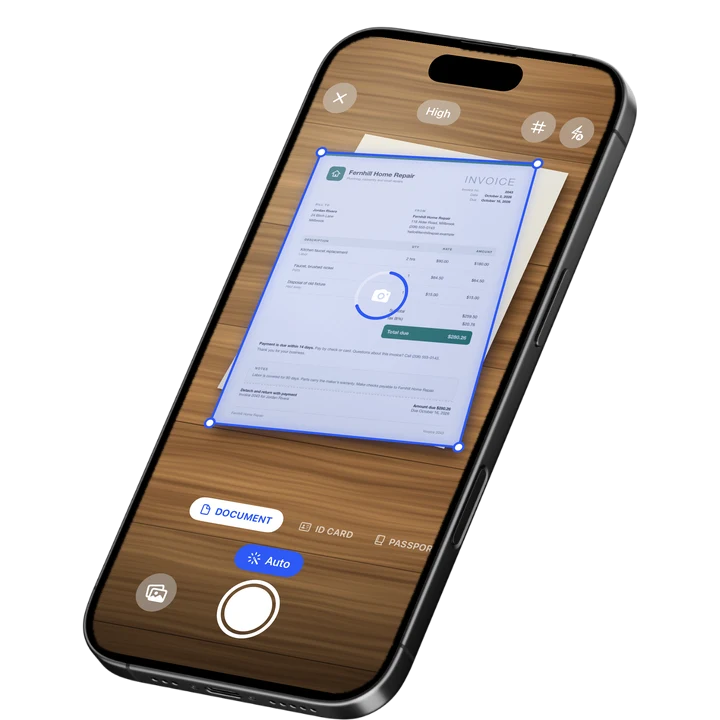
Need a whole page instead of a signature? Try the online document scanner. For tips on scanning paper with a phone, read how to scan documents on iPhone.
Signature Background Remover Limits
This signature background remover works best with dark ink on plain, light paper. It keeps everything clearly darker than the paper, so printed text, dark form lines or a stamp next to your signature stay in the picture. Sign on blank paper, or crop the photo to the signature first.
- Photos can be up to 100 MB on a computer and up to 30 MB on a phone.
- Light gray ruled lines usually drop out at the default setting. If one stays, move the slider left.
- A very dark surface next to the sheet, such as a dark desk, is ignored. A patterned or medium-toned background next to the sheet can be mistaken for ink, so let the paper fill the photo.
- A shadow with a hard, sharp edge can leave a small mark where the edge runs. Soft shadows are no problem.
- Light ink on dark paper does not work.
- The tool does not straighten a tilted signature.
- The output is PNG only. The PNG can only be as sharp as the photo, so a small, far away or blurry signature gives a small or soft result.
- The result is a picture of a signature. It is not a certificate-based digital signature.
Draw or Photograph a Signature
Not every signature needs a photo. If you would rather draw or type one, use the signature maker instead. Use this signature to PNG tool when you want your real handwriting, signed with your own pen on paper. Then place the PNG on a document in any editor that accepts images.

On-device OCR. Secure, built for iOS.
Frequently Asked Questions
How do I make a signature PNG from a photo?
Take a photo of your signature on plain paper and add it to the tool. It removes the paper and shows the ink on a checkerboard. Adjust the slider and the ink color, then press Make PNG and download the file. This free signature PNG maker runs in your browser.
How do I remove the background from a signature?
Add a photo of your signature to the tool. It treats the paper, including shadows and uneven light, as background and keeps only the ink that is clearly darker. You get a transparent signature as a PNG. If a mark stays, move the slider left. If faint strokes are lost, move it right.
Can I use my phone as a signature scanner?
Yes. On a phone, the Take a photo button opens the camera, so you can photograph your handwriting and get a clean result. Hold the phone straight above the paper and get close. This is for signatures, not whole pages. For a full document, use an online document scanner.
How big is the signature PNG?
The PNG is as large as the signature is in your photo. Photos over 5 megapixels are scaled down to 5 megapixels first. A signature that fills about two thirds of the width of a 12 megapixel phone photo comes out about 1,700 pixels wide. A small or blurry signature gives a small or soft PNG.
Why is a line or shadow still in my signature image?
The tool keeps everything clearly darker than the paper. A printed line, text or a stamp can stay, and so can a hard shadow edge. Move the slider left first. If a mark stays, sign on blank paper or crop the photo to the signature. A patterned background next to the sheet can also be mistaken for ink.
Is a signature PNG the same as a digital signature?
No. A signature PNG is a picture of your handwritten signature. It is not a certificate-based digital signature, and the tool does not check who signed. Whether a picture of a signature is accepted depends on the document and on who receives it, so ask them before you rely on it.
Is my signature photo uploaded?
No. Your photo is processed in your browser and is not uploaded. There is nothing to install. HEIC photos from an iPhone are read in the browser too, with an open-source decoder. Photos can be up to 100 MB on a computer and up to 30 MB on a phone.
More Free Tools
Signature Maker
Draw or type your signature and download it as a transparent PNG.
Redact Image
Cover private details in a photo or screenshot with a black box, blur or pixelation.
Metadata Remover
Strip hidden details such as author, device and location from PDFs and photos.
Watermark PDF
Add a text watermark such as DRAFT or CONFIDENTIAL to all pages of a PDF or a range: diagonal, tiled or in a corner.
Online Document Scanner
Scan paper with your camera or a photo, fix the corners, pick a look and save a multi-page PDF.
ID Card to PDF
Put the front and back of an ID card on one A4 or Letter page at true size and save it as a PDF.