Free PDF Tools and Document Tools
Small free tools for everyday paperwork. Each one runs in your browser, so your file is not uploaded.
TL;DR
These free PDF tools and document tools run in your browser. Scan paper, read text from images, sign, redact, number or crop a PDF, and convert files. Pick a tool, add your file and download the result. Your file is processed on your device and is not uploaded.
Scan
Turn paper and photos into clean PDFs.
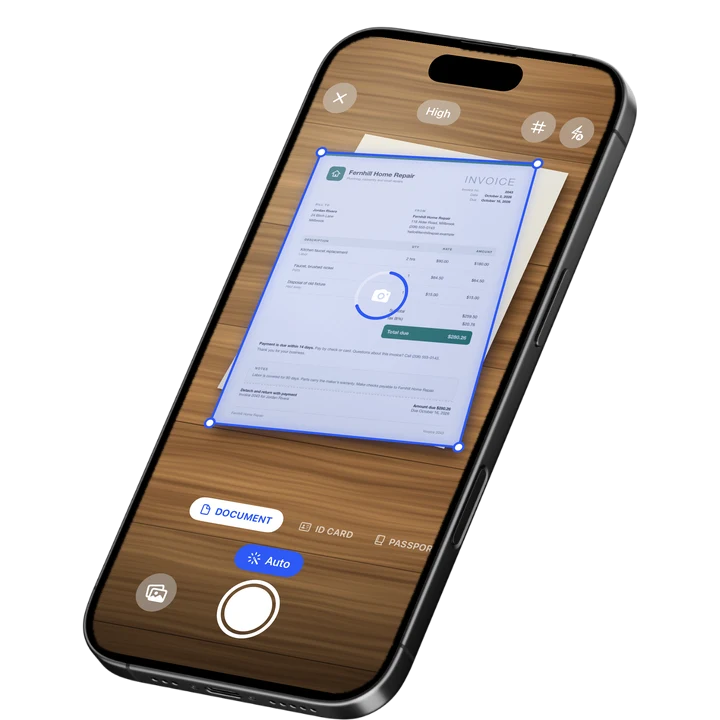
Online Document Scanner
Scan paper with your camera or a photo, fix the corners, pick a look and save a multi-page PDF.
Open toolID Card to PDF
Put the front and back of an ID card on one A4 or Letter page at true size and save it as a PDF.
Open toolMake a PDF Look Scanned
Give a PDF the look of a paper scan, with a slight tilt, grain and soft edges.
Open toolText and OCR
Get the words out of images and PDFs.
Image to Text
Extract the text from a photo or screenshot with text recognition, then copy it or save it.
Open toolPDF to Text
Pull the text out of a PDF. Scanned pages are read with text recognition.
Open toolPDF Word Counter
Count the words, characters and pages in a PDF, with a count for every page.
Open toolSign and Protect
Make signatures and cover private details.
Signature Maker
Draw or type your signature and download it as a transparent PNG.
Open toolSignature to PNG
Turn a photo of your signature on paper into a clean PNG with a transparent background.
Open toolRedact Image
Cover private details in a photo or screenshot with a black box, blur or pixelation.
Open toolMetadata Remover
Strip hidden details such as author, device and location from PDFs and photos.
Open toolWatermark PDF
Add a text watermark such as DRAFT or CONFIDENTIAL to all pages of a PDF or a range: diagonal, tiled or in a corner.
Open toolPDF Pages
Number, crop and tidy the pages of a PDF.
Bates Numbering
Stamp sequential Bates numbers on every page of a PDF, with your prefix, padding and position.
Open toolCrop PDF
Trim the margins of a PDF by dragging a box, on one page or all pages.
Open toolPDF to Black and White
Convert a color PDF to grayscale or pure black and white, or invert its colors for reading in the dark.
Open toolConvert
Change a file into the format you need.
Text to PDF
Turn plain text, Markdown or a CSV table into a clean PDF.
Open toolHEIC Viewer
Open HEIC photos from an iPhone in any browser and save them as JPG or PNG.
Open toolTIFF to PDF
Convert a TIFF to a PDF, with every page of a multi-page fax or scan.
Open toolSVG to PDF
Turn an SVG drawing or logo into a PDF page, as a sharp image at 150, 300 or 600 dpi.
Open toolWebP to PDF
Convert one or more WebP images to a PDF.
Open toolJFIF to PDF
Convert one or more JFIF images to a PDF. The JPEG data goes in untouched, with no quality loss.
Open toolPixels to Inches
Convert pixels, inches, cm and mm at any DPI, with a PPI calculator and paper sizes in pixels.
Open tool