TIFF to PDF Converter
Turn a .tif or .tiff fax or scan into one PDF with all its pages. Free, and it runs in your browser, so your files are not uploaded.
TL;DR
TIFF to PDF conversion keeps every page of a fax or scan in one PDF, in the original order. This free tool runs in your browser, so your files are not uploaded. Drop a .tif or .tiff file, choose a page size and download the PDF. Black and white pages stay sharp and small.
Drop your TIFF files hereDrop your TIFF files here
JPG, PNG, WebP, SVG, GIF and BMP work too.
Your files are processed in your browser. They are not uploaded.
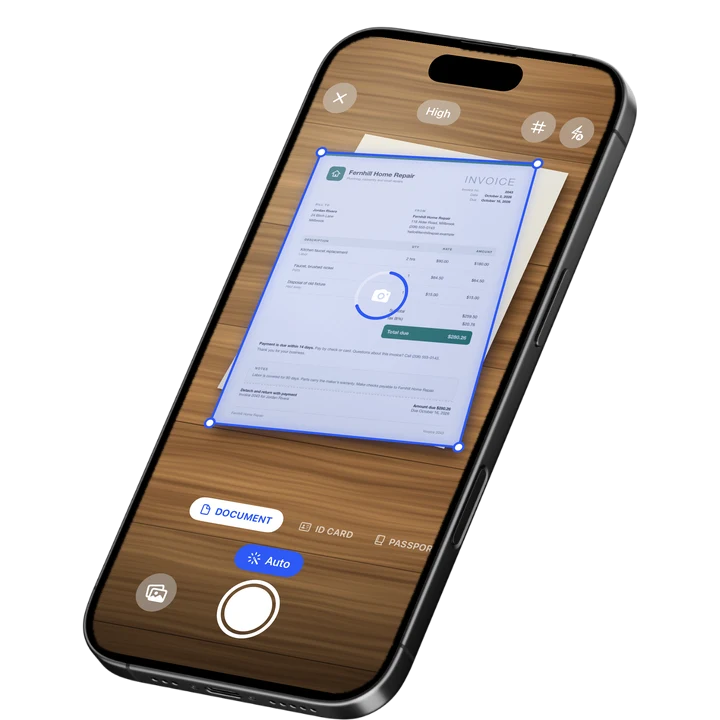
How to Convert TIFF to PDF
1
Add your TIFF
Drop one or more .tif or .tiff files on the tool, or choose them from your device.
2
Pick a page size
Keep Fit to image, or choose A4 or Letter, and move files up or down if you added several.
3
Download the PDF
Press Convert to PDF and save one PDF with every page of your TIFF.
What Is a TIFF File
A TIFF file is an image format that can store pictures without loss and can hold many pages in one file. TIFF stands for Tagged Image File Format. Aldus created it in 1986, and Adobe has owned it since 1994. The names .tiff and .tif mean the same format.
The current specification is TIFF 6.0 from 1992. Scans, faxes, archives and print work still use it, because it can keep every detail and holds several pages together. The catch is viewing. Many phones, browsers and email apps cannot show a TIFF, and often show only the first page of a multi-page one.
TIFF to PDF With All Pages
Every page of your TIFF becomes a page of the PDF, in the same order. That is the main reason to use this tool. Faxes that arrive by email and scans from office scanners and multifunction printers are often one TIFF with many pages, and a PDF keeps them together.
A TIFF with several pages shows its page count in the file list, so you can check it before you convert. Small preview copies stored inside some TIFFs are not turned into pages. In a test with a real 3-page color TIFF of 740 KB, the PDF had 3 pages, weighed 406 KB and kept every pixel identical.
You can add more than one TIFF, or mix in other images, and move files up or down. The PDF follows the order of the list and is named after the first file. Several scans from one job end up as one document.
Fax and Black and White TIFF
Black and white pages, such as fax pages and 1-bit scans, are stored lossless at 1 bit per pixel and at full resolution, however large the page is. They stay small and sharp. Nothing is smoothed, scaled down or turned into gray.
Fax pages often have pixels that are not square, for example 204 by 98 dots per inch. The tool reads both resolutions from the file, so the page keeps its true shape and is not squashed. The orientation stored in the TIFF is respected too.
TIFF Compressions That Work
The tool decodes the compressions that scanners, fax software and image apps use. Each one was checked pixel by pixel against libtiff, the reference TIFF library. A rare variant is not guessed at. The tool shows a clear message instead of making a wrong PDF.
- Works: uncompressed, CCITT Group 3 and Group 4 (the fax compressions), LZW, Deflate (also called ZIP), PackBits and JPEG, in gray and color.
- Works: 1-bit, 8-bit and 16-bit images, in gray, RGB, palette color and CMYK, in strips or tiles, in either byte order. A page with transparency gets a white background.
- Does not work: CCITT RLE, old-style JPEG, LZMA, Zstandard, WebP and JPEG 2000 compression, CMYK pages with JPEG compression, color stored in separate planes, and floating point images.
These variants are rare. If you meet one, open the file in an image app and save it again as a PNG, or as a TIFF with LZW compression, then convert that file.
What This TIFF Converter Does
The tool decodes each TIFF page in your browser and places it on its own PDF page. Fit to image makes each page as large as its image, using the resolution stored in the file, or 96 pixels per inch when none is stored. A4 and Letter center the image, as large as it fits, with no margin.
- On a computer: up to 50 files, 100 MB each and 1,000 pages in total. On a phone: up to 20 files, 30 MB each and 300 pages in total.
- A gray or color page can be up to 40 megapixels on a computer and 16 megapixels on a phone. Black and white pages have no such ceiling.
- A gray or color page above 16 megapixels is scaled down to half its width and height. A 600 dpi color scan of a Letter page comes out at 300 dpi. Black and white pages always keep every pixel.
- A 16-bit image is reduced to 8 bits per channel. A JPEG-compressed TIFF page is decoded and stored again, so it is not byte-identical to the original JPEG data.
- The PDF is made of images. Its text cannot be selected or searched. To get the words, run the PDF through PDF to text, or a single page through image to text.
Your files are processed in your browser and are not uploaded. If the PDF will go to someone else, the metadata remover strips hidden details such as author, device and location.

On-device OCR. Secure, built for iOS.
Frequently Asked Questions
How do I convert TIFF to PDF?
Drop your .tif or .tiff file on the tool, or choose it on your phone. Pick Fit to image, A4 or Letter, then press Convert to PDF and download the result. You get one PDF with a page for every page of the TIFF. It runs in your browser.
Does it keep all pages of a multi-page TIFF?
Yes. Every page of the TIFF becomes a page of the PDF, in the same order. The file list shows the page count of each TIFF, so you can check it before you convert. Small preview copies stored inside a TIFF are not turned into pages.
What is a TIFF file?
TIFF stands for Tagged Image File Format. Aldus created it in 1986, and Adobe has owned it since 1994. It can store images without loss and can hold several pages in one file, so scans, faxes and archives use it. Many phones and email apps cannot show it.
Is a TIF file the same as a TIFF file?
Yes. The extensions .tif and .tiff name the same format, and the tool opens both. If you search for how to convert a TIF to PDF, the steps are the same as for TIFF: add the file, pick a page size and download the PDF.
Which TIFF compressions work?
Uncompressed, CCITT Group 3 and Group 4, LZW, Deflate, PackBits and JPEG work, in 1-bit, 8-bit and 16-bit images. Rare ones such as CCITT RLE, old-style JPEG, LZMA, Zstandard and JPEG 2000 do not. For those, save the file again as a PNG or an LZW TIFF.
Will my fax TIFF look squashed in the PDF?
No. Fax pages often have pixels that are not square, for example 204 by 98 dots per inch. The tool reads both resolutions from the file, so the page keeps its true shape. Black and white pages are stored at full resolution, so they stay sharp.
Can I search the text in the PDF?
No. The PDF holds your pages as images, so its text cannot be selected or searched. To get the words from a scanned page, use the PDF to text tool or the image to text tool afterward. Both work on files you already have.
Sources
More Free Tools
Text to PDF
Turn plain text, Markdown or a CSV table into a clean PDF.
HEIC Viewer
Open HEIC photos from an iPhone in any browser and save them as JPG or PNG.
SVG to PDF
Turn an SVG drawing or logo into a PDF page, as a sharp image at 150, 300 or 600 dpi.
WebP to PDF
Convert one or more WebP images to a PDF.
JFIF to PDF
Convert one or more JFIF images to a PDF. The JPEG data goes in untouched, with no quality loss.
Pixels to Inches
Convert pixels, inches, cm and mm at any DPI, with a PPI calculator and paper sizes in pixels.